
Red Hat Advanced Cluster Security (RHACS) Part 1/2
This set of articles is based on version 5.0 of RHACS
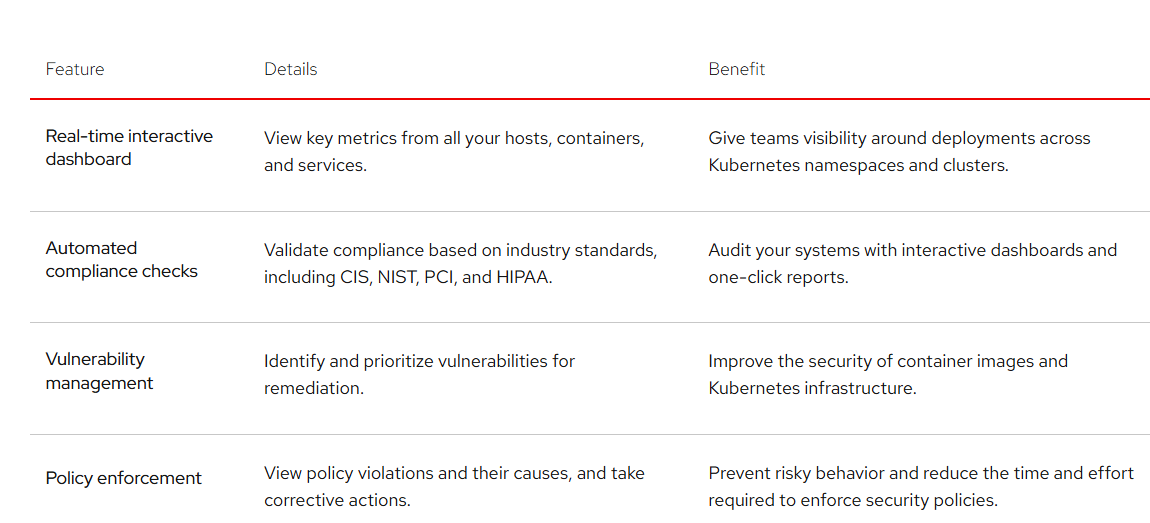
Red Hat Advanced Cluster Security (RHACS) for Kubernetes is an Operator that can be installed which provides the following high-level features related to cluster security:
In this blog post, I will walkthrough
A. The RHACS Components
B. Minimum Requirements for Installing RHACS
C. The installation of RHACS
D. The Default Dashboard View
A. The RHACS Components
Red Hat Advanced Cluster Security (RHACS) is deployed through the Operator using two Custom Resources (CRs): Central Services (Central) and Secured Cluster Services (SecuredCluster).
Central Services (The Management Plane — CR: Central)
This is the "brain" of RHACS. Installed once per organization (typically on a dedicated management cluster, though it can also monitor its own host cluster), Central Services manages administration, user interfaces, APIs, declarative security policies, and vulnerability databases.
The specific components deployed by the Central CR are:
- Central: The core management deployment. Serves the user interface and API, handles notifications and alert dispatches, and integrates with DevOps tooling and identity providers.
- Central DB: A dedicated PostgreSQL deployment providing persistent storage for all inventory, runtime events, violations, and policies managed by Central.
- Scanner V4 Indexer: Analyzes container image layers and produces an inventory index of installed packages and files. Scales automatically via Horizontal Pod Autoscaling (HPA).
- Scanner V4 Matcher: Compares the package index created by the Indexer against upstream vulnerability databases to identify security flaws. Scales automatically via HPA.
- Scanner V4 DB: A dedicated PostgreSQL deployment storing indexed image package definitions and CVE databases.
- Config Controller: Continuously watches
SecurityPolicycustom resources and reconciles them with Central to manage security policies declaratively.
Secured Cluster Services (The Agents — CR: SecuredCluster)
These components are installed on every Kubernetes or OpenShift cluster that you want RHACS to monitor and protect. They communicate with Central over gRPC and enforce runtime/deploy-time policies locally.
The components deployed by the SecuredCluster CR are:
- Sensor (Deployment): The primary in-cluster controller. It monitors cluster objects and workload states, synchronizes policies from Central, and streams telemetry back to the management plane.
- Collector (DaemonSet): Runs on every node (both control plane and worker nodes). It taps into the host kernel using eBPF probes to capture process executions, system calls, and network connections in real time.
- Admission Controller (Deployment): Configured as a
ValidatingWebhookConfigurationto evaluate container deployment requests against security policies and block non-compliant workloads before admission into the cluster. - Console Plugin (OpenShift Dynamic Plugin): Seamlessly embeds RHACS vulnerability findings and policy alerts directly into the native OpenShift Web Console (requires OpenShift 4.19+).
B. Minimum Requirements for Installing RHACS
Prior to installing RHACS, let's review the minimum hardware, compute, and storage requirements for each component.
The baseline requirements and architectures are referenced from theRed Hat Advanced Cluster Security 5.0 Documentation.
RHACS divides responsibilities across two deployment layers:
- Central Services: Installed once as the management plane.
Central,Central DB,Scanner V4 DB, andConfig Controllerrun as standard deployments, whileScanner V4 IndexerandScanner V4 Matcherare deployments auto-scaled using Horizontal Pod Autoscaling (HPA). - Secured Cluster Services: Installed on every cluster you monitor.
SensorandAdmission Controllerrun as cluster-wide deployments, whileCollectorruns as a DaemonSet across every node (both control plane and worker nodes).
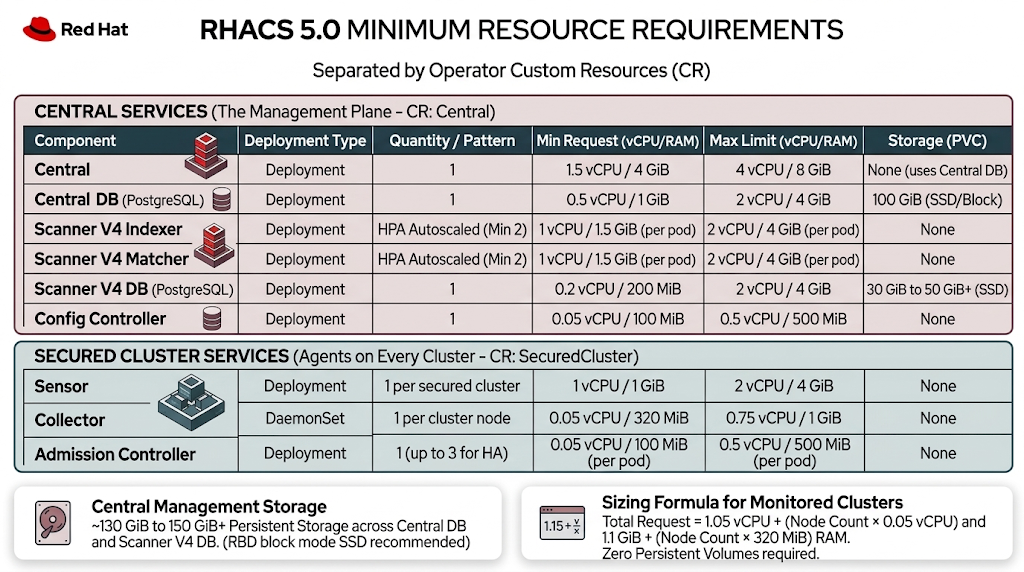
RHACS 5.0 Resource Requirements
Estimated Cluster Overhead
- Central Services Cluster Footprint: Reserving baseline requests for the management plane (assuming 2 Indexer and 2 Matcher replicas) requires ~6.25 vCPU and ~11.3 GiB RAM.
- Secured Cluster Services Footprint: Per-cluster overhead is ~1.05 vCPU and ~1.1 GiB RAM, plus an additional 0.05 vCPU and 320 MiB RAM per node for the Collector DaemonSet.
- Single-Cluster (Self-Secured) Total: If your 5-node bare-metal cluster hosts Central Services and secures itself, budget approximately ~7.6 vCPU and ~14 GiB RAM in total allocatable cluster requests.
Persistent Volume Claim (PVC) & Storage Types
All persistent volume claims are centralized on the cluster running Central Services. Zero persistent volumes (0 GiB PVC) are required on managed/secured clusters, as agents run statelessly and stream runtime telemetry over encrypted gRPC directly to Central.
| Component | Minimum PVC Size | Storage Purpose |
| Central DB | 100 GiB | PostgreSQL backend storing cluster inventory, runtime violations, alerts, and security policies. |
| Scanner V4 DB | 30 GiB – 50 GiB+ | PostgreSQL backend caching image layer packages and CVE vulnerability definitions. |
| Total Central Storage | ~130 GiB to 150 GiB+ | Baseline persistent volume allocation across the management plane. |
Storage Architecture Requirements for Bare Metal
- Storage Media: Solid-State Drives (SSDs) or NVMe storage are required to support the high read/write IOPS demand of the PostgreSQL databases (
Central DBandScanner V4 DB). - PVC Provisioner Mode: RBD block mode (Ceph Rados Block Device via OpenShift Data Foundation) is the recommended storage class for bare-metal OpenShift.
- Unsupported Storage: CephFS is explicitly unsupported for RHACS database storage and can cause database corruption or severe latency. Network-shared filesystems like Amazon EFS or NFS are also unsupported.
Key Sizing & Scaling Considerations
- Scaling Central DB: If you plan to manage more than 100 nodes or monitor more than 1,000 deployments, scale the
Central DBPVC from 100 GiB to at least 200 GiB to accommodate long-term policy violation logs, process baselines, and scan histories. - Scaling Central Compute: For large-scale environments (>100 nodes), increase
Centralcompute requests to 4 vCPU / 8 GiB RAM andCentral DBto 2 vCPU / 4 GiB RAM. - Scanner Autoscaling: In CI/CD-heavy clusters with high image churn,
Scanner V4 IndexerandScanner V4 Matcherautomatically scale out pods via HPA based on CPU load. Ensure worker nodes have sufficient unreserved CPU headroom to absorb concurrent image scan bursts.
Estimated Total RHACS Cluster Overhead:
~9 vCPU and ~14 GiB RAM distributed across the cluster (assuming a 5-node deployment).
Persistent Volume Claim (PVC) & Storage Types:
RHACS requires persistent storage for its Central and Scanner databases to retain configuration, vulnerability definitions, and evidence data over time.
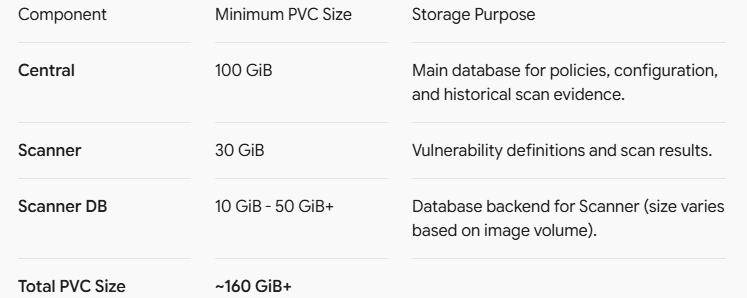
Storage Architecture Requirements for Bare Metal:
- Media Type: Solid-State Drives (SSDs) are strongly recommended for the underlying storage layer to support the high I/O required by Central and Scanner DBs.
- PVC Provisioner Mode: RBD block mode (Rados Block Device) is the recommended storage class for OpenShift Data Foundation / bare-metal deployments.
- Unsupported Storage: Ceph FS is explicitly unsupported for RHACS and will cause database corruption or performance degradation. Amazon EFS is also unsupported (if extending to hybrid cloud).
Key Sizing Considerations
If you plan to scale the cluster beyond 100 nodes or monitor more than 1,000 deployments, the Central component will require manual scaling to at least 4 vCPU / 8 GiB RAM, and its associated PVC should be scaled to 200 GiB to accommodate the increased data retention and event processing overhead.
C. The installation of RHACS
On the cluster that will run the Central services, follow these steps.
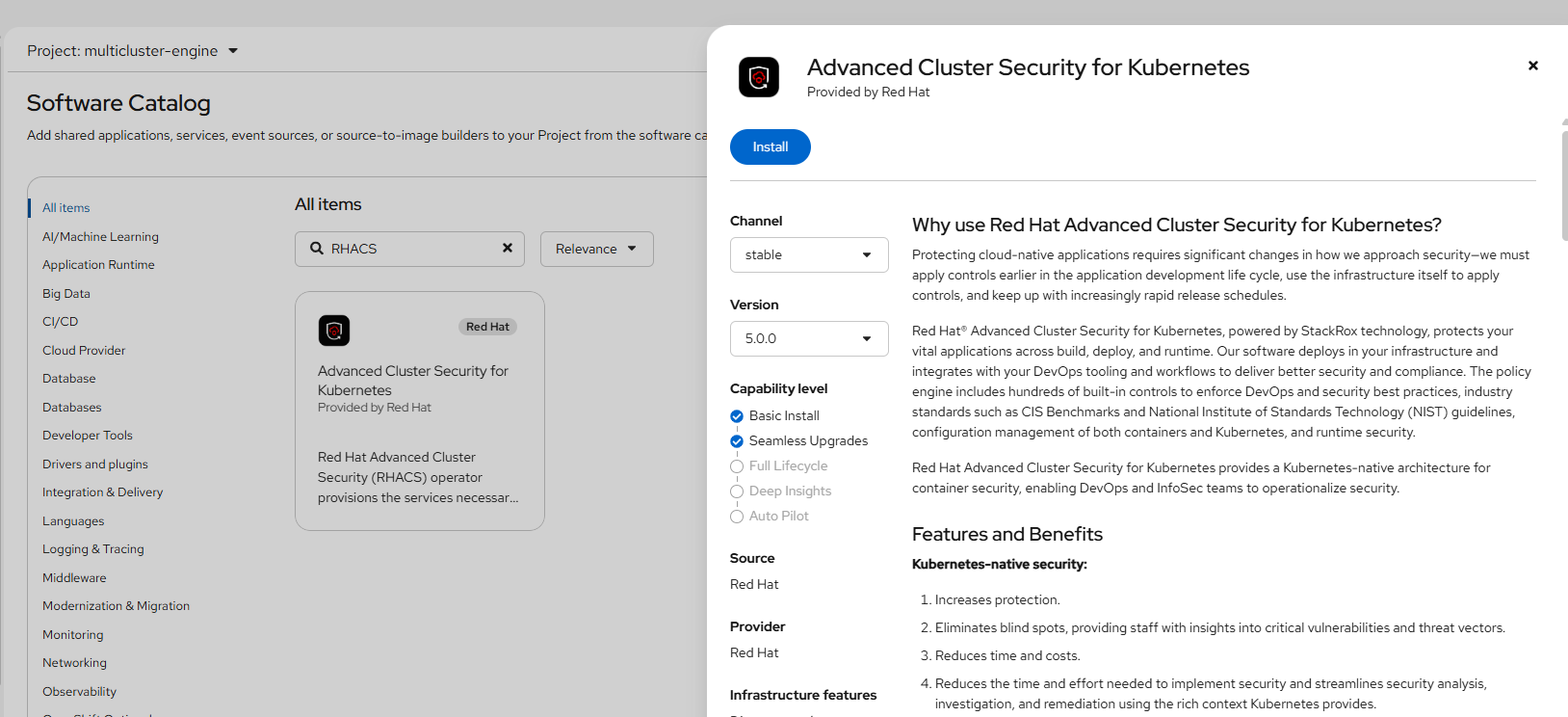
1. Go to Ecosystem --> Software Catalog and search for "RHACS".
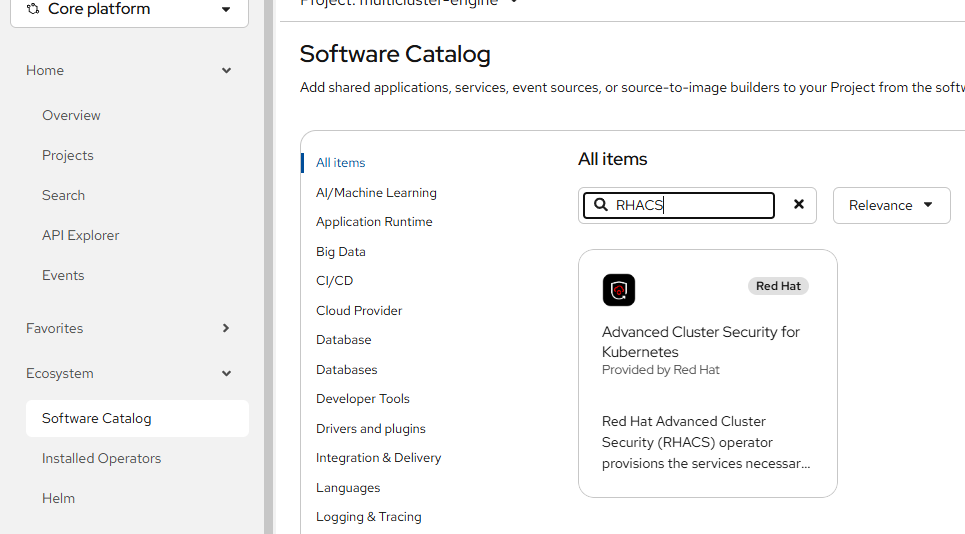
Click on the box for "Advanced Cluster Security for Kubernetes"
- Click "Install" on the resulting screen.
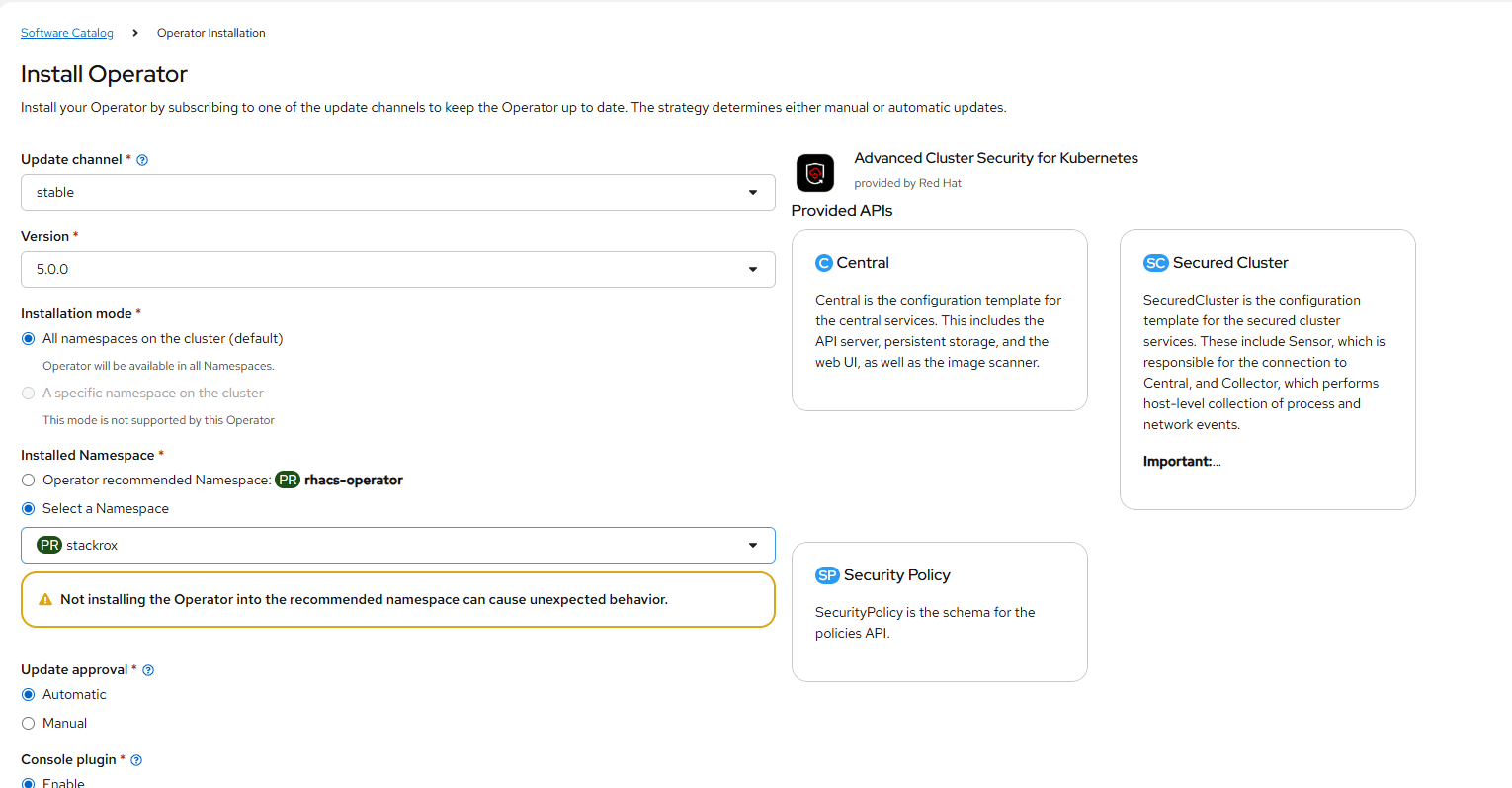
- Install the operator in project/namespace called stackrox. Disregard the warning message about rhacs-operator.
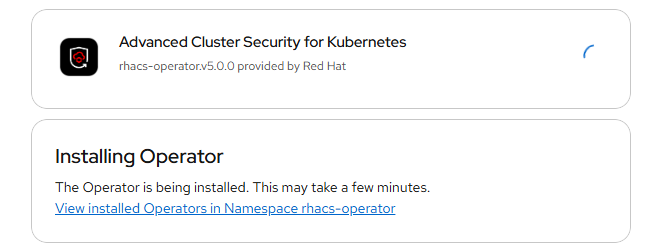
- The installer will progress as shown here.
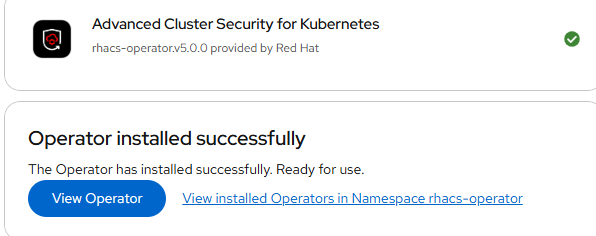
- Click on "View Operator" when that option becomes available.
- Under "Central" click "Create Instance"
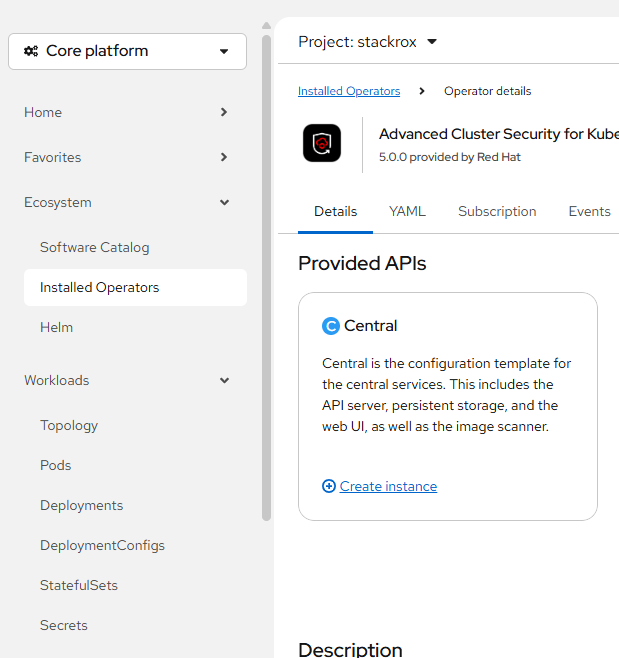
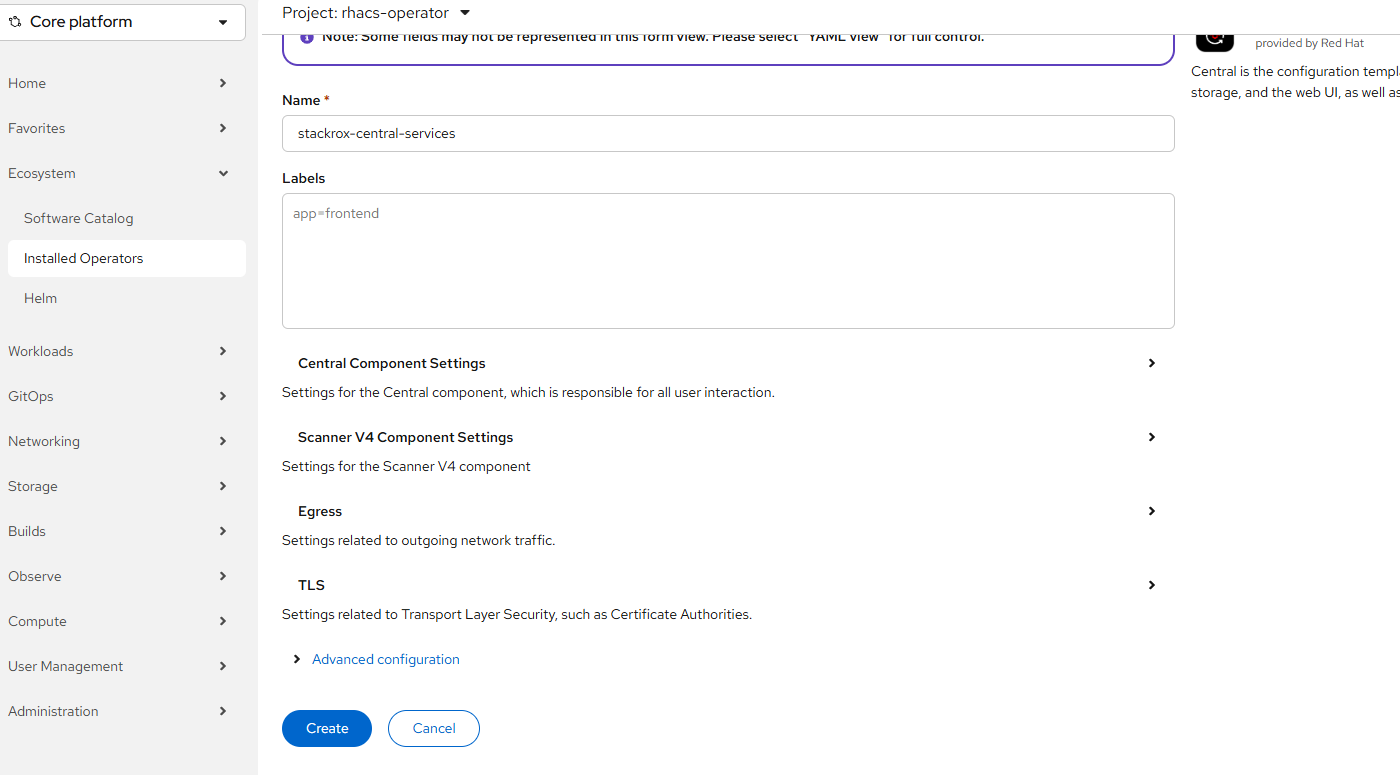
- The default settings are sufficient for now. Click "Create"
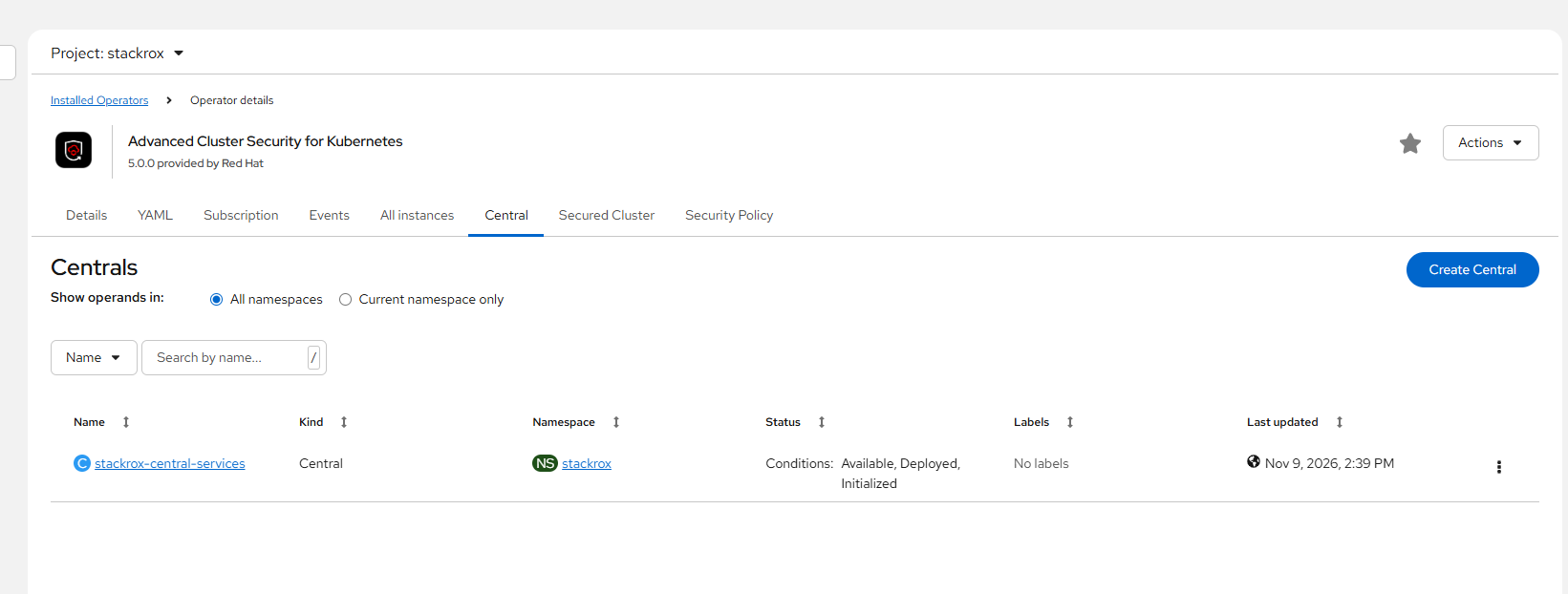
- After the Central resource is created, it should shortly show up as "Available, Deployed, Initialized" on the Installed Operators --> RHACS --> Central tab as shown below.
- To generate the cluster registration secret, you will need to login to the RHACS GUI/Central instance.
To get the URL, run:
oc get route central -n stackrox
The URL would be something like central-stackrox.<BASEDOMAIN>
The username will be admin
The password can be obtained as follows:
oc get secret central-htpasswd -o yaml -n stackroxecho "<BASE64STRING>"|base64 -d
This will return the password for the admin user.
- Go to the central URL and login.
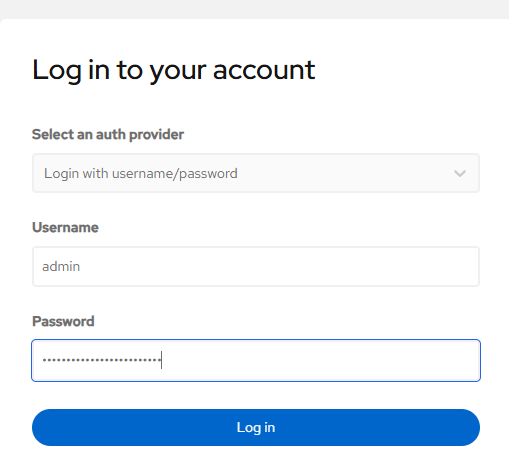
- The first screen will require the cluster registration secret to be created.
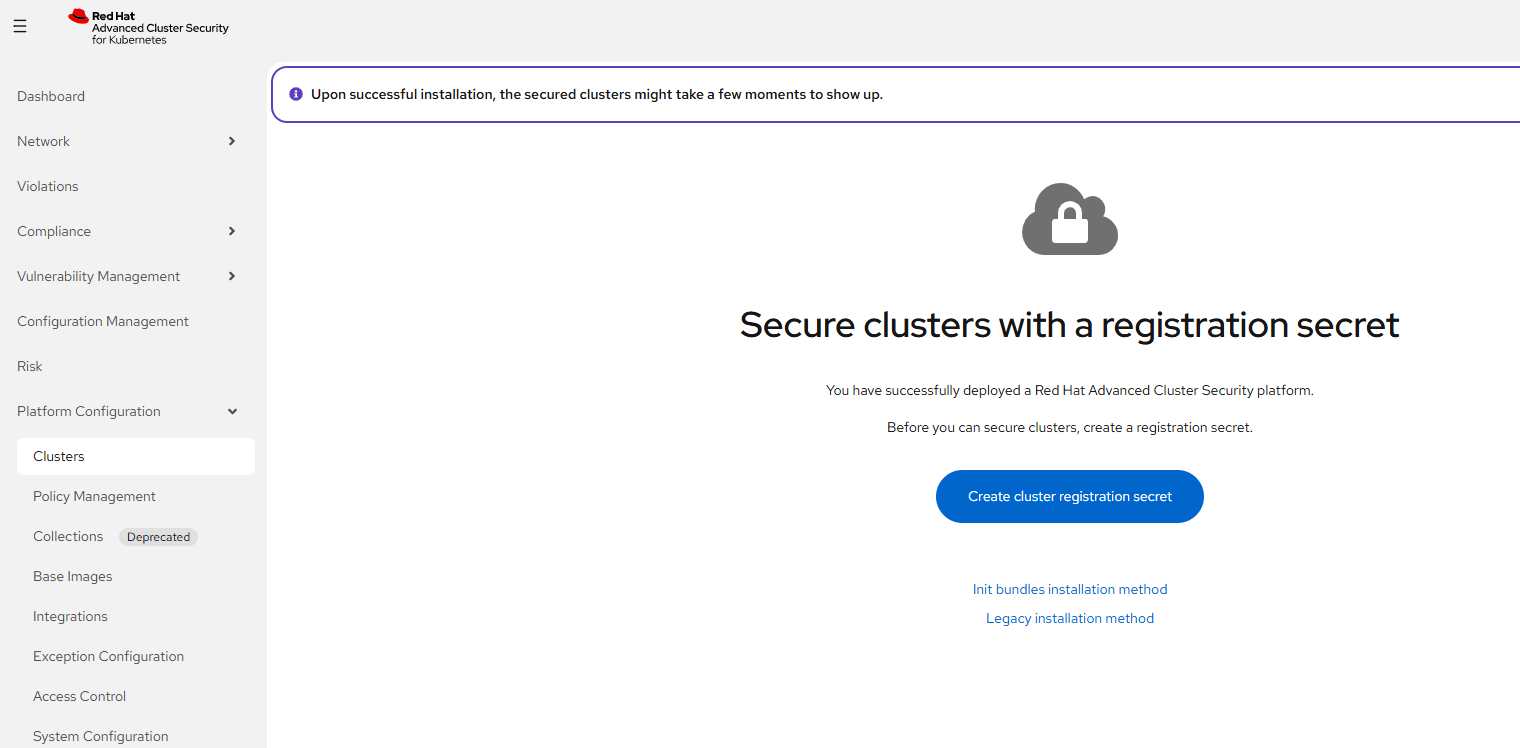
Click "Create cluster registration secret"
- Name the CRS "cluster-registration-secret", accept all other defaults, and then click download.
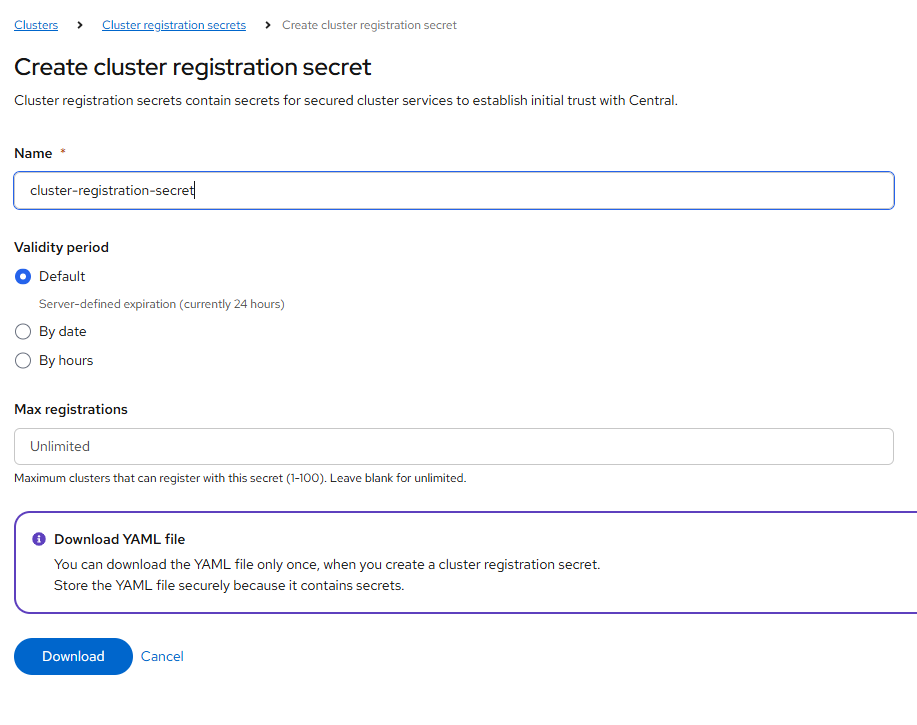
- Download the file. This will be saved to your desktop computer. Keep it in safe place and secure.
- Now, we will create the SecureCluster resource on the same cluster that Central is on so it can monitor itself.
Go back to Ecosystem --> Installed Operators --> RHACS
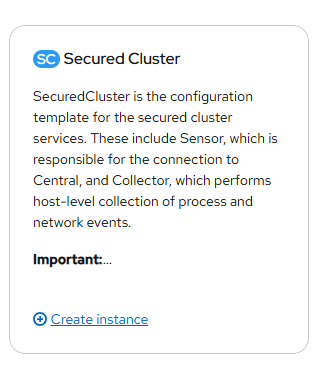
Click "Create Instance" for Secured Cluster resource.
- My cluster name is called "mgmt"
The URL on the local cluster is central.stackrox.svc:443
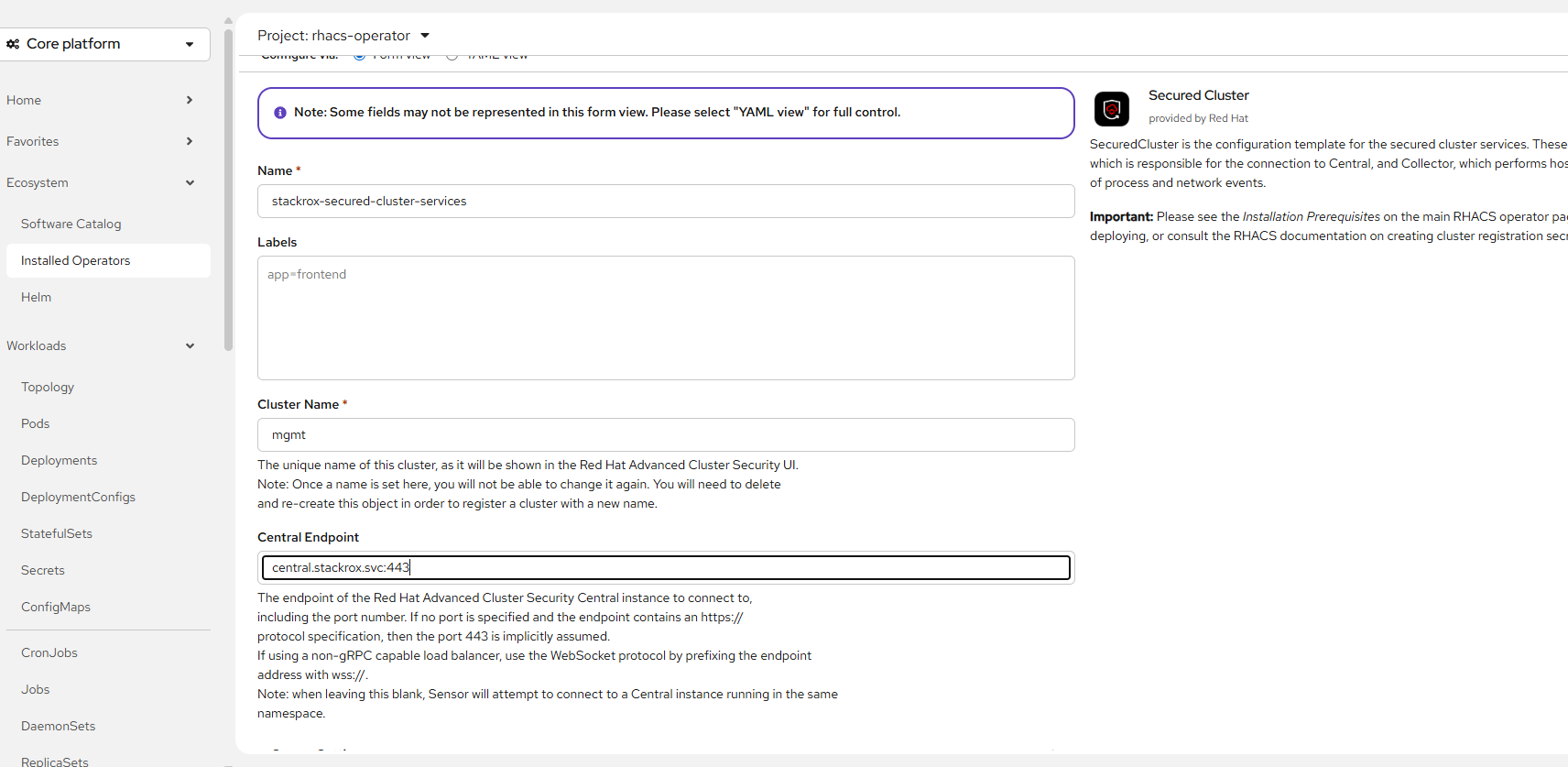
Click "Create" at the bottom of this screen.
oc apply -f cluster-registration-secret-cluster-registration-secret.yaml -n stackrox
- Now the install is completed.
D. The Default Dashboard View
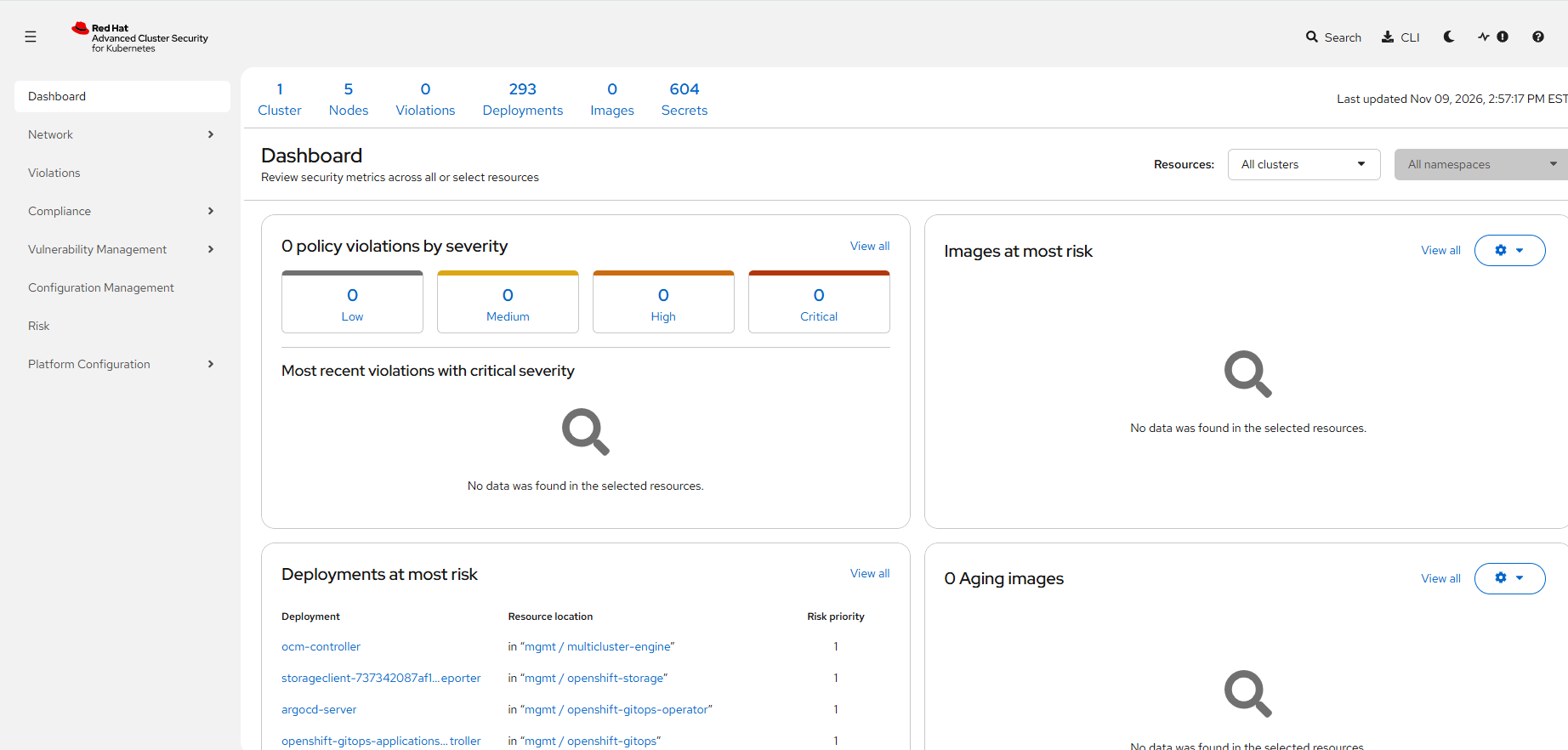
Part 2 coming soon